Operations
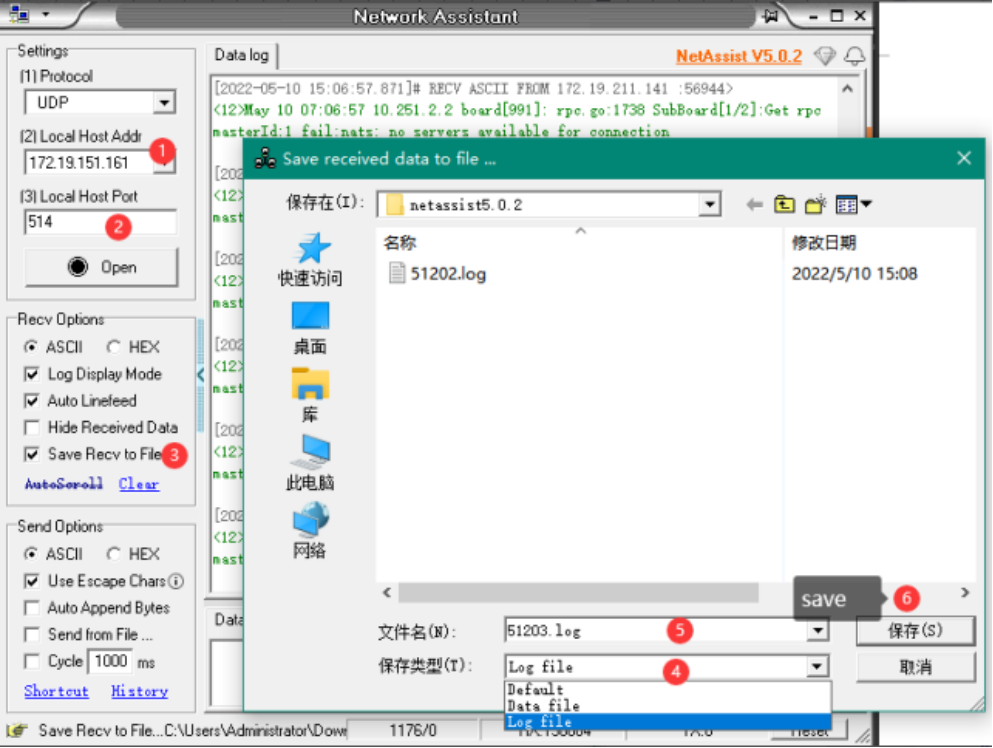
1.Open”NetAssist.exe”
Select the IP of the computer,local host port.Tick Save received data to file. Select "Save as type" as log file. Set the saved file name.Then Click "Save (S)". Last Click “Open” to start recording.As is shown in the picture below.
2.Enable remote Syslog
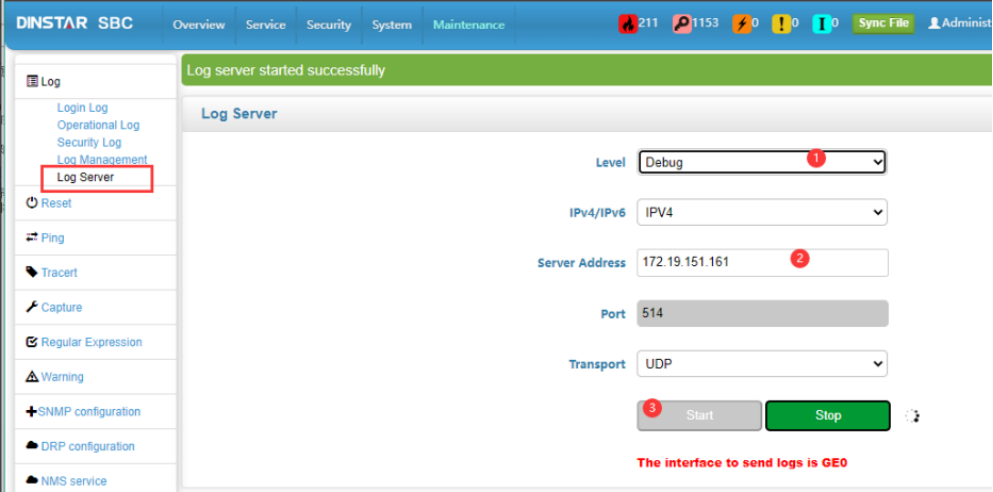
In the demo, we set SBC as an example.Different devices have different ways and interface to enable the function.
Adjust Level, such as Debug.Set the server address and the PC’S IP of the syslog server. Enter the port 514 (default).Then Click "start".As is shown in the picture below.
3.View Logs
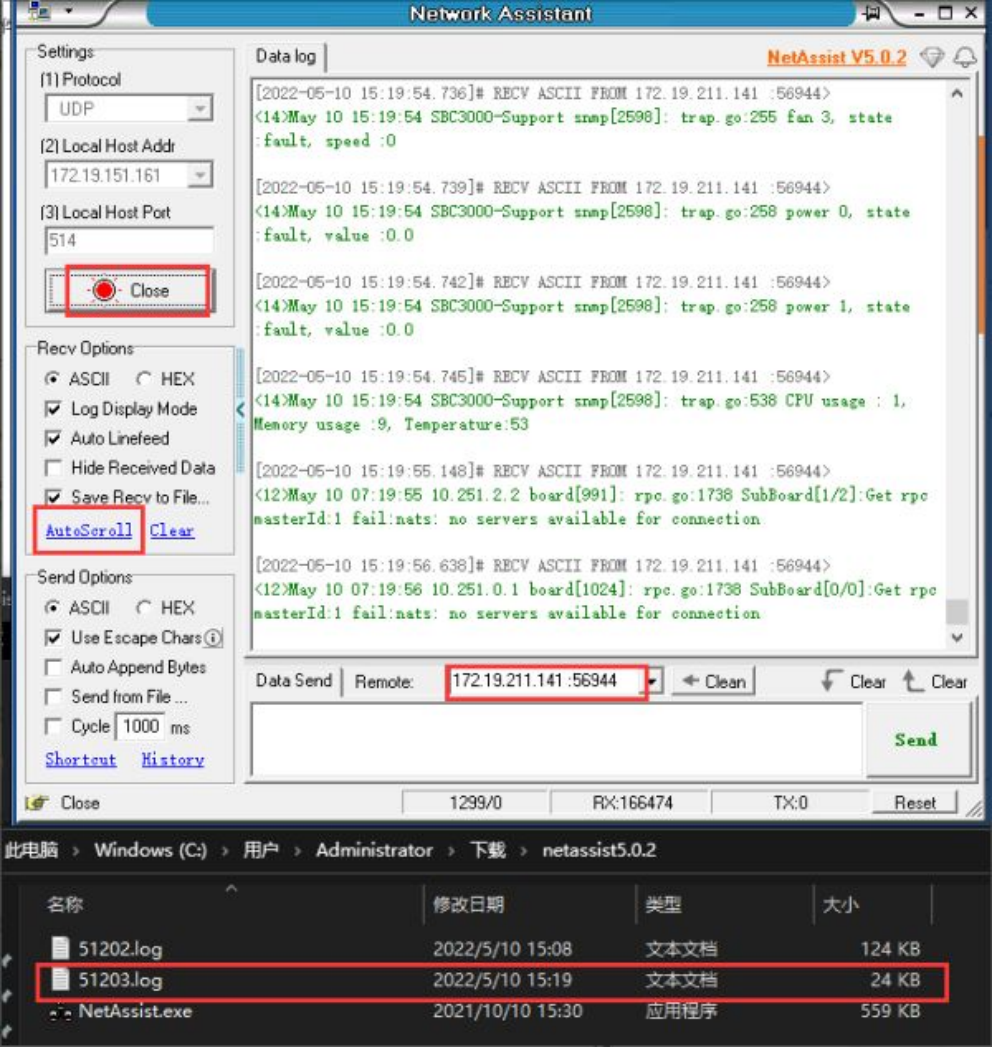
Check the Logs
We can in the Data log window of the Network Assistant tool check the syslog.
Note: The latest log will be displayed only when AutoScroll is turned on.
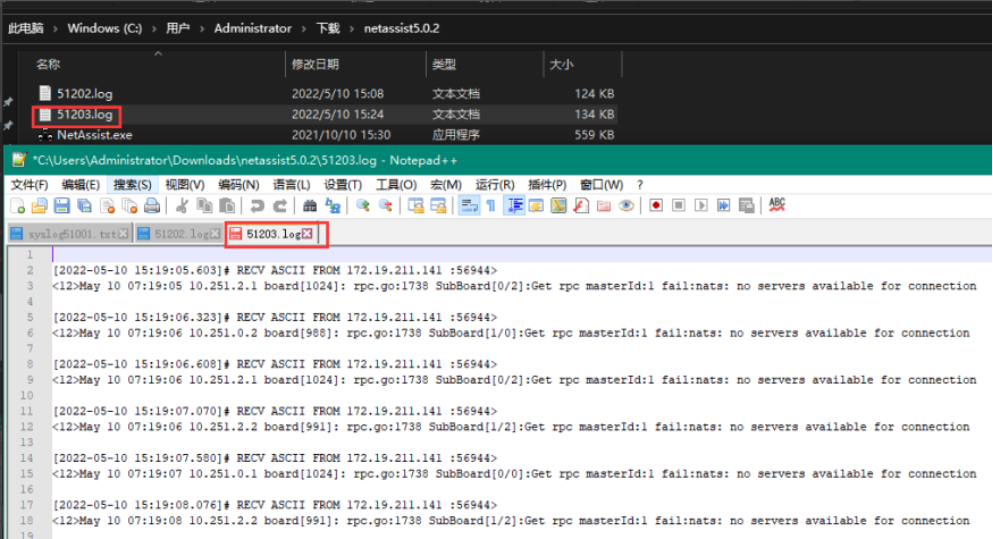
Open the saved log file and view the history,as shown in the picture.