1. Introduction
What Is SNMP
SNMP: Simple Network Management Protocol. it used for network equipment management. The administrator (snmp server side ) obtains data/information from the device through snmp read operation (GET) and configure device through snmp write operation (SET). The device notifies the device of important status change events to administrator through the snmp trap(alarm).
Why Need SNMP
The basic idea of snmp is to define a unified interface and protocol for devices of different types, manufacturers, and models, so that administrators can manage these network management devices with a unified interface, improving the efficiency of network management and simplifying the work of network administrators. snmD is designed on the TCP/P protocol family, works based on TCP/IP protocol, and manages the devices that support snmp protocol in the network
Target
1. we can learn how to configure SNMP on MTG device through the document
2. we can learn how to set/get data of MTG and MTG trap events to snmp server through the document.
Description
In the document, we used SNMP software "MG-SOFT MIB brower" and it is an extremely flexible, technically sophIisticated, powerful and user-friendly SNMP browser,It allows you to monitor and manage any SNMP on your network using the SNMPv1, SNMPv2c and SNMPv3 protocols over UDP and TCP over IPv4 and IPv6 networks equipmen.

The IP of SNMP server is 172.27.0.155
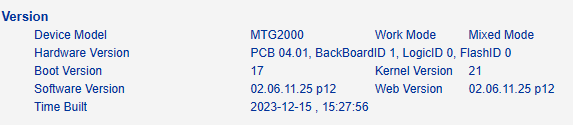
The IP of test MTG device is 172.19.211.133 (MTG2000, version is 02061125P12)
2. Configure On MTG
2.1. Enable SNMP and choose SNMP version
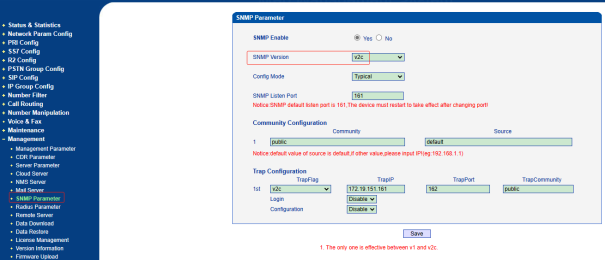
MTG support all three version v1/v2c/v3 of snmp, it is as below
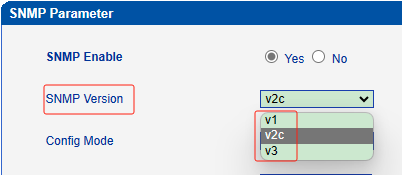
Please enable SNMP and choose the version same as SNMP server. we will using the version V2C in the sample.
2.2 Configure Community Configuration
Description:
This configuration is applicable to v1 and v2c. You need to configure the community and source address. Community is a string equivalent to a password in authentication; The source IP address is the IP address of the snmp server. The default value is default(means any ip). This configuration is for configure snmp server information. the community must be same with SNMP server .

In the sample, we configure public as community and default as source. it means we also configure public community on SNMP server.
2.3 User Configuration
Description:
This configuration is applicable to V3 version. You need to set the user name, authentication type, authentication password, encryption type, and encryption password. Add authentication information to SNMP v3 messages and encrypt the packet content. those information is provided by SNMP server.
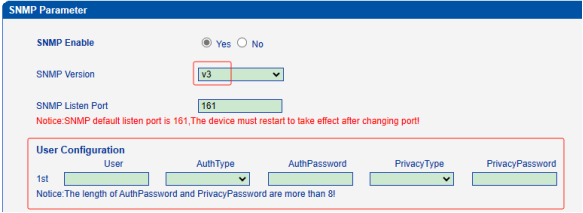
In the sample , we do not use V3 version, so keep this the user configuration to blank.
2.4 Group Configuration
Description:
This configuration is applicable to v1/v2c/v3 version. The group name is a string and we can set any string as group name. then select the community that has been configured. The community is added to a group. The access configuration of step 5 configure give access authority of red/write/trap based on the group name.

2.5 View Configuration
Description:
This configuration is applicable to v1/v2c/v3 version. The ViewName is a string and we can set any string as View Name. and you need to configure ViewType/ViewSubtree/ViewMask.
ViewType: it have included and excluded. included means included that MIB node that we set on viewsubtree and excluded means excluded that MIB node that we set on viewsubtree.
ViewSubtree: MIB node
ViewMask:it is mask for MIB OID

2.6 Access Configuration
Description:
This configuration is applicable to v1/v2c/v3 version.you need to select group and select the view for the group to read, write, and notify (trap).
the view of read/write/notify means give authority of read,write and trap

2.7 Configure Trap Configuration
Description:
This configuration is applicable to v1/v2c/v3 version.
Trap type: V1/V2C/V3. it is snmp version that snmp server side used

Trap ip: it is ip of snmp server.
Trap port: it is snmp port of snmp server. 162 is detaul trap port of snmp procotol.
Trap community : it is community that SNMP server side used
In the sample, the ip of snmp server is 172.27.0.155 and trap type of snmp server is v2c. the trap port of snmp server is 162 and trap community of snmp server is public.
3. Configure On SNMP Server
3.1. Upload MIB File Of MTG
We need to upload MIB file of MTG to the SNMP server. If not, the SNMP server can't recongize the datastruct of MTG, different product using differet MIB file.
Note: There is mib file of MTG.
VOIP-IAD-SIP(2).mib
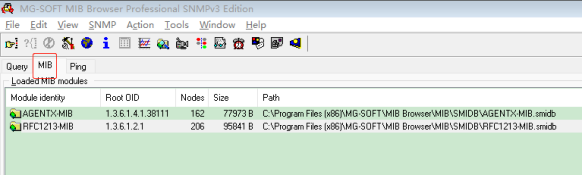
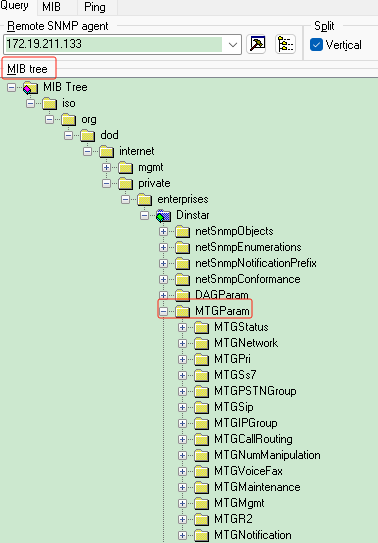
When upload successfully, the mib brower will show mib tree of MTG
3.2 Configure Snmp Server
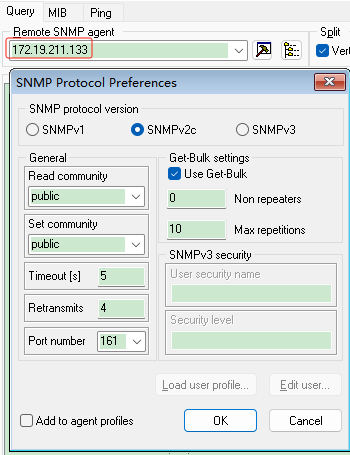
We need configure ip of MTG and read community and set community and SNMP port . We also select SNMP version .
In the sample, the IP of MTG is 172.19.211.133 and used SNMP version V2C. the community of read/set both are public.
3.3 Contact MTG On SNMP Server
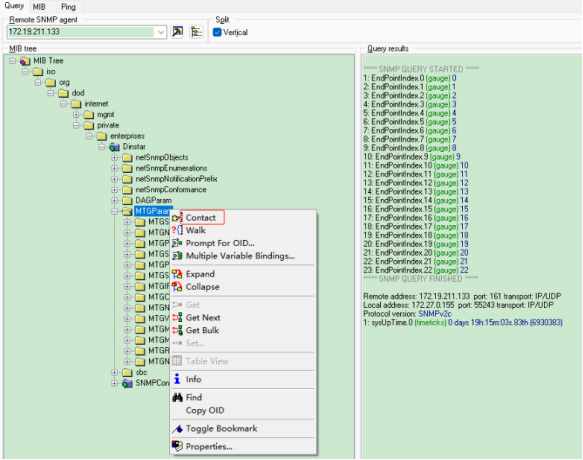
Right click and it will show menu. then click contact and the SNMP server will connect MTG.
4. Apply the SNMP function.
4.1 Read(Get) Information From MTG
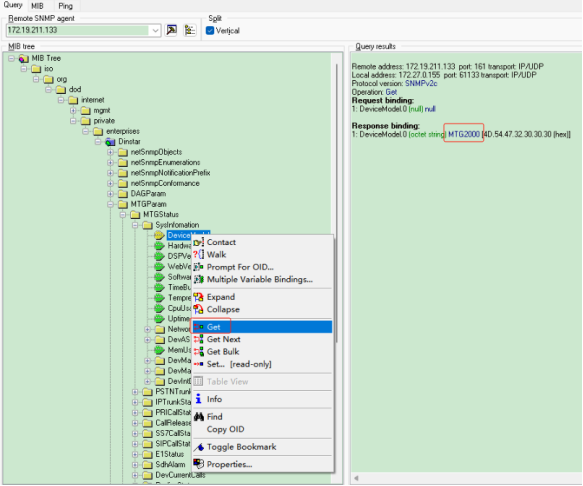
Right click the node and it will show menu. Then click "Get" and it will get the information from MTG.
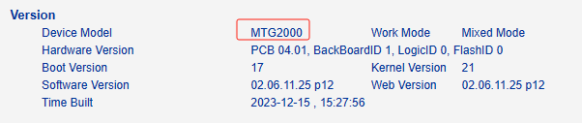
For example, we do it in node "DeviceModel", it will get the device model
Get device model successfully
4.2 Write(Set) Configuration To MTG
Right click the node and it will show menu. Then click "Set" in menu. It will Write(Set) the informatin to MTG side.
For example, we do it in node "MTGSIPServerAddresss", it will Write(Set) the IP to MTG.
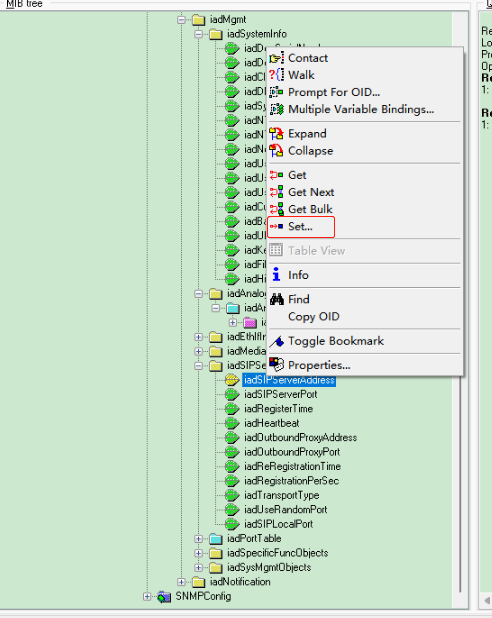
We set the sip port 5070 as local sip port of MTG.
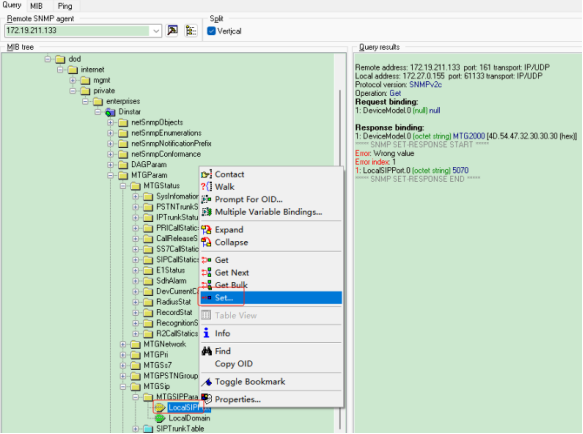
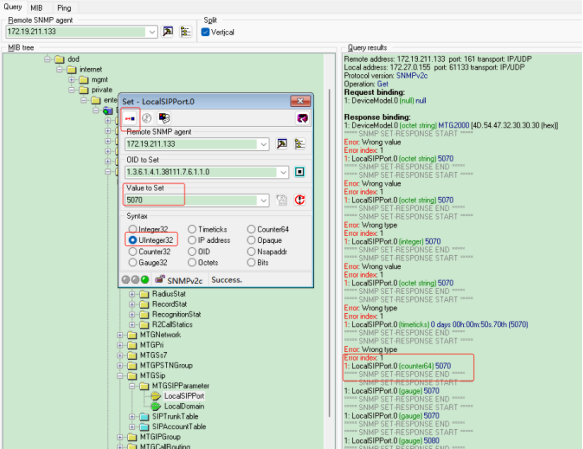
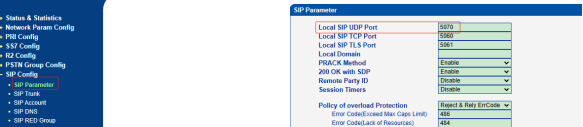
Settting successfully! the MTG side show local sip port
4.3 Trap Information
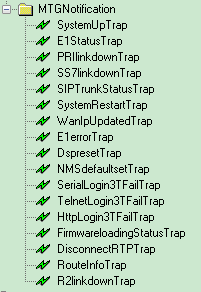
Trap mean the MTG report the status automatic.
Check trap message
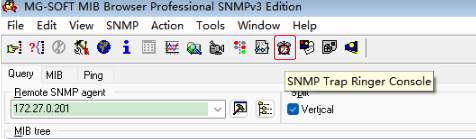
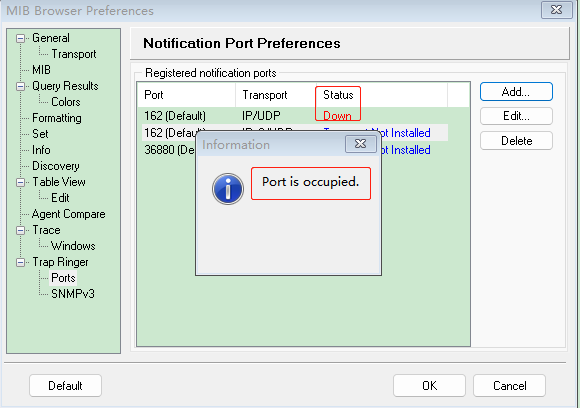
please note: sometimes the trap port will be occupied and we can change the default port 162 to other idle ports. it is as below
when we changed the trap port on snmp server side and we also need to change the trap port on MTG device.
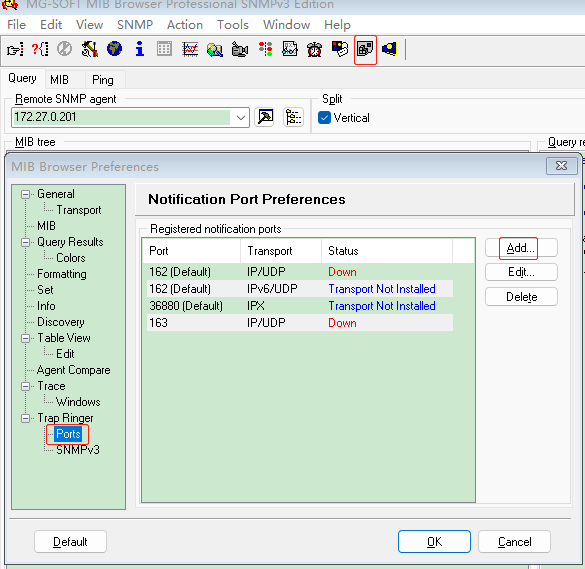
When device stauts changed, MTG will send trap message to SNMP server.