Noun Explanation
1.UC:Unified Communication, This refers to Dinstar's UC series products.
2. FXO : Foreign Exchange Office,here refers to the FXO port.
3. CID:Caller Identity.
I. The feedback phenomenon
The FXO port of the UC is connected to an analog phone line, and when you call into the UC from the phone line, you see that the CID is 8000 or 8001, not the real source number.
II. Statement of reasons
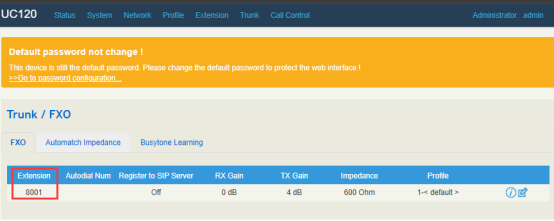
When calling in through the FXO port, if there is a CID detected, you will see the source number as CID in the CDR and internal ringing extensions; if there is no CID detected, the extension of the FXO is displayed. as shown below, the extension of the FXO is 8001.
So what are the reasons for not detecting a CID? The reasons are as follows:
(1) The PSTN line did not send the CID over;
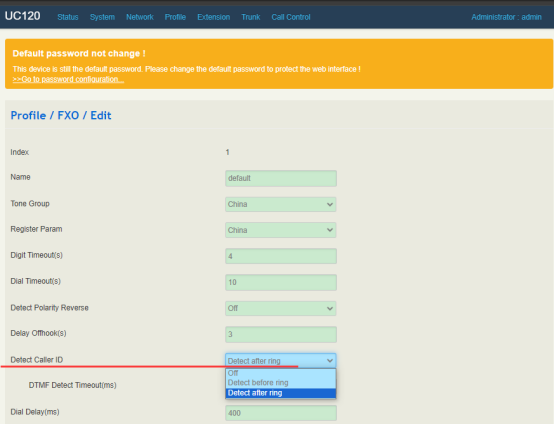
(2) The parameter setting for detecting CID is not realistic, such as detecting before ringing, or detecting after ringing?
(3) The noise interference in the line is too large to detect the CID.
III. Solutions
3.1.1 The direct way is to get the inbound diagnostics, which contains the PCM data.
Check FXS/FXO in "Call Control/Diagnostics", click "Start", and then initiate the inbound call.
When the call is finished, click "Stop&download" to download the Diagnostics file.
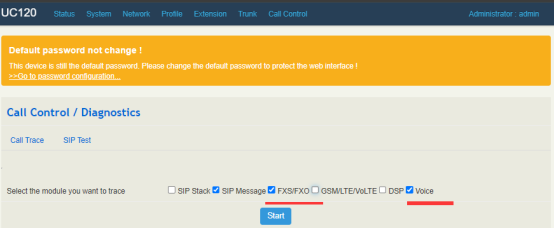
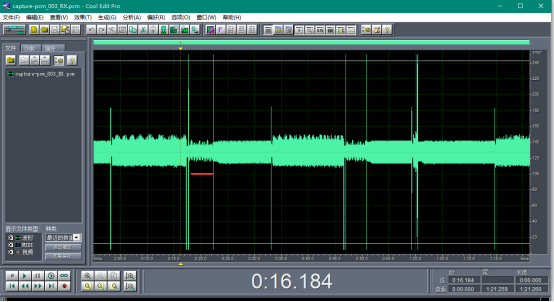
3.1.2 Unzip the Diagnostics file and open the xxx_RX.PCM file in it, it will be possible to see if there is a CID, the location of the CID (before or after ringing), and if there is a noise signal.
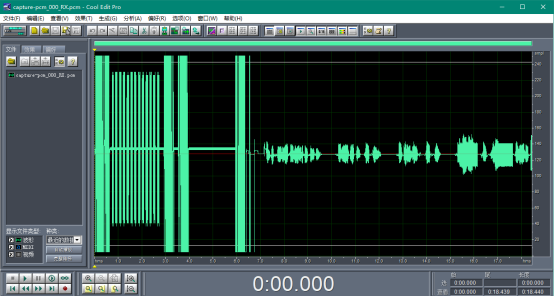
3.1.3 As shown above, you can see that there are CIDs (DTMF type CIDs) and the CIDs are after the first ringing. The noise on the line is very small and can be ignored. Therefore, you only need to set Detect Caller ID to "Detect after Ring".
3.2 If the CID is not visible in the PCM, there may be no CID, or it may not be a DTMF type CID (it may be a pulse signal). Then try connecting the phone line to an analog phone, call into the analog phone and verify that there is a CID?
3.3 If there is a lot of noise in the signal in the PCM, it is possible that the noise is overriding the CID signal and will cause the CID not to be detected. as shown in the figure below, the noise in the signal is obvious.
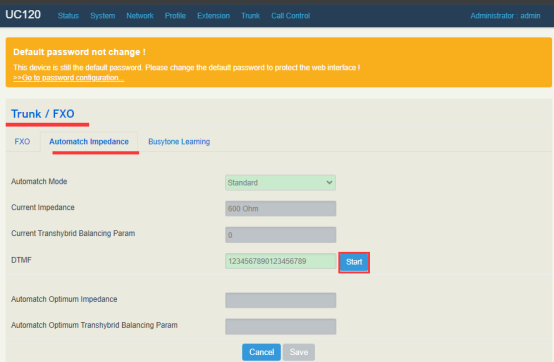
3.3.2 This situation requires an impedance matching test on the FXO port. Let the impedance of the FXO balance the impedance of the line.
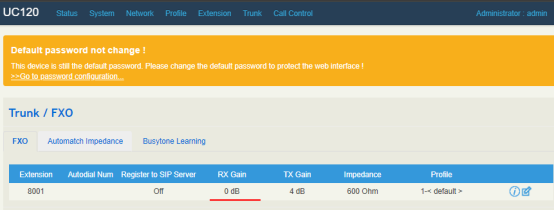
3.4 If the gain is seen to be low or high in the PCM, the gain control can be used to keep the gain in the proper range.
3.5 If the above does not solve the problem, please get Diagnostics to a Dinstar technician for assistance.